


Software
Visual Software Suite
Visual Software Suite (VSS) is a free, Windows®-based platform that combines multiple functions into one intuitive graphical interface, enabling swift and efficient setup and onsite adjustments. Integrating and enhancing the capabilities of previously separate Panasonic software, it transforms your workflow into streamlined and cost-effective processes.
Key features of Visual Software Suite
Key features
| A Free, Integrated Platform to Transform Your Workflow |

What is Visual Software Suite?
Visual Software Suite (VSS) is a free, Windows®-based platform that combines multiple functions into one intuitive graphical interface, enabling swift and efficient setup and onsite adjustments. Integrating and enhancing
the capabilities of previously separate Panasonic software, it transforms your workflow into streamlined and
cost-effective processes.
Key Benefits

01 All-in-One Software
Everything you need in a single, integrated platform.
No more juggling multiple tools!

02 Efficient Performance
Optimized for speedy performance.
Get more done in less time.

03 Free to Use
Access to core features is free of charge.

04 Resource-Friendly Automation
Streamline tasks with easy automation and save time and labor.

05 Easy to Learn, Simple to Use
No heavy training required. Get started right away!
Software Highlights
1 Described functions require use with compatible projectors.
2 Described functions require use with an optional ET-FMP50 Series media processor.
3 Performed at the projector level only.
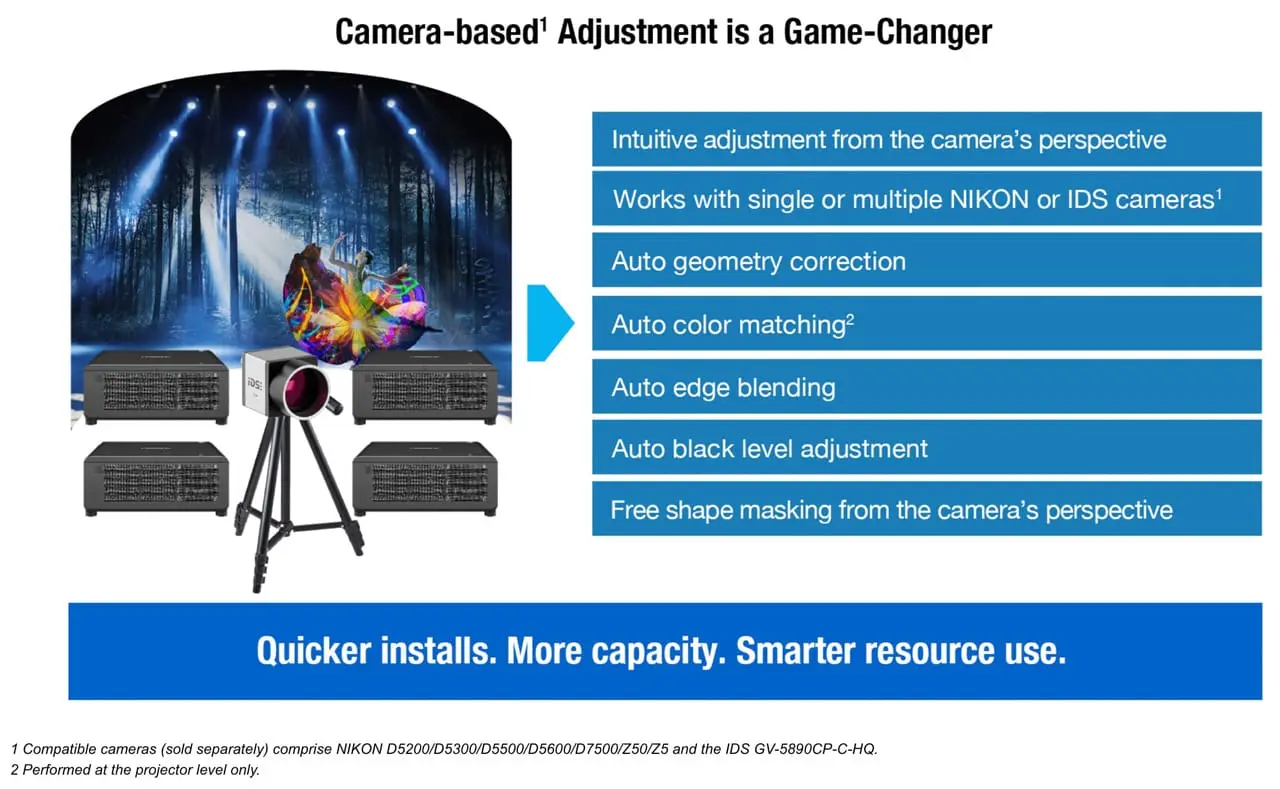
4 Compatible cameras (sold separately) comprise NIKON D5200/D5300/D5500/D5600/D7500/Z50/Z5 and the IDS GV-5890CP-C-HQ.
Intuitive User Interface
- Simple to learn and master
- Easy navigation through four screens in operational order
Auto Calibration
- Auto geometry correction, blending, black level adjustment, color matching3, and content splitting2
- Click to define the image projection area
- Works with one or more Nikon or IDS cameras4
Warping & Color Adjustment
- Distortion correction, detail adjustment, free-shape masking
- Uniformity1, color, brightness adjustment and control1
- Manual edge blending adjustment
Projector Control1
- Lens shift, zoom, focus, and peripheral focus
- Projector settings access via browser
- Power on/standby, shutter open/close
- Test pattern selection
- Command control, etc.
Playback Management2
- Supports multiple playlists
- Supports gapless media looping to prevent screen blanking
- Supports playback via external UDP commands
- Preview content on PC screen or projection screen
Automation & Scheduling2
- Create custom schedules for automated daily playback
- Simple, intuitive, labor-saving operation
Use Cases

Projector and Software Compatibility
| Projector + VSS | Projector + FMP50 Series + VSS |
Current models PT-RQ50K Previous models PT-RQ32K/RZ31K/RS30K | When Using ET-FMP50/FMP20 (Box Type) All Panasonic projectors and professional displays When Using ET-SBFMP10 (Function Board Type) Panasonic projectors with an Intel® SDM standard-compatible slot Supported projector models equipped PT-RQ25K/RZ24K/RQ18K/RZ17K |
Note: To comply with the Radio Equipment Directive (RED) taking effect in the EU from August 2025, firmware and user application versions must be updated for each projector model. Please check the firmware and user application version combinations before and after RED compliance here.
Download the software
Fill out to download Visual Software Suite
Thank you for filling out the form. Please download the software below.
Related resources
Sorry there was an error...
The files you selected could not be downloaded as they do not exist.
You selected items.
Continue to select additional items or download selected items together as a zip file.
You selected 1 item.
Continue to select additional items or download the selected item directly.








Share page
Share this link via:
X
LinkedIn
Xing
Facebook
Or copy link: