


360 degree camera speakerphone
PressIT360 - 360 degree video conferencing
Providing a more realistic feeling with the 360-degree camera speakerphone
Key features of PressIT360 - 360 degree video conferencing
Key features
| Optimal Video and Audio Transmission |
| Simple Operation |
| Installation and Portability |
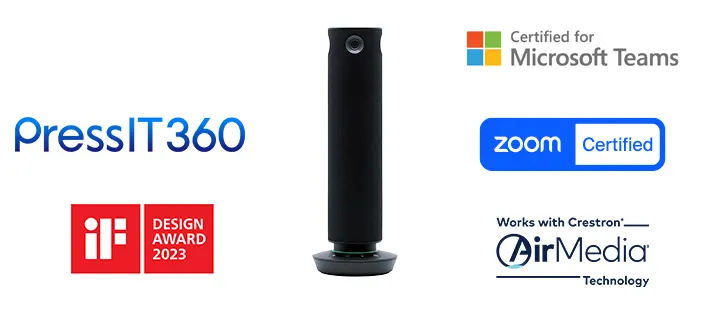
PressIT360 is the all-in-one web conferencing system with high-performance 360-degree camera, mic and speakers, supporting a hybrid working environment that connects online with offline.
| PressIT360 - 360 degree video conferencing [TY-CSP1] | |
| Camera | Viewing angle: 360 degrees |
| Field of view | 360 (H) x 60 (V) |
| Microphone | 7 |
| Speaker | 1.5 W(When supplying power from USB Type-C) or 3 W(When AC adaptor is connected) |
| Dimensions | Φ64 mm × 285 mm/Φ2.52" x 11.23“ (Operation base Φ100 mm (Φ3.94")) |
Connect the cable to the PC and start the meeting immediately
Simply connect the camera, microphone, and speakers in one unit to a computer with a USB Type-C (hereafter referred to as USB-C) cable. No time is needed to prepare and set up equipment, so meetings can be started smoothly.
1. Bring into the conference room
2. Just connect to a PC using USB-C
3. Start web conference
Only one USB-C is needed to connect to a PC.
Video and audio data can be sent to your PC with a single USB-C. Since the terminal integrates a camera, microphone, and speakers, there is no need to prepare separate equipment.1
1:For connection to a USB-C port of a PC capable of supplying 5V/3A of power. It can also be connected using an AC adapter. When using the USB-C to USB-C alone, volume is limited compared to when using the AC adapter.
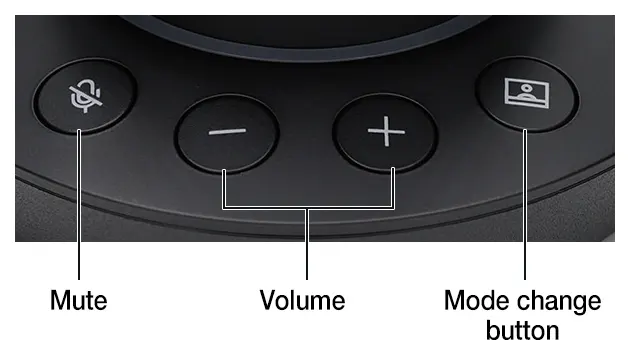
Easy operation with just the push of a button
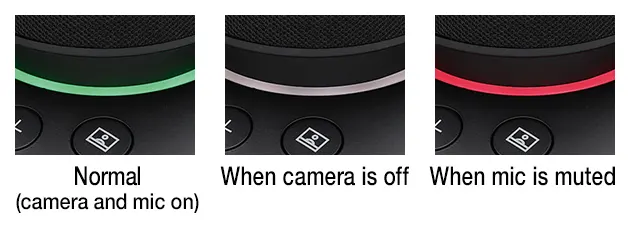
Volume control, muting, and video mode selection can be intuitively operated using buttons on the control panel of the main unit. The LED ring also informs the user of the operating status by color. You can check whether the microphone is on or off, etc., at a glance.

Clear video and audio transmission for natural and realistic communication
Common issues that occur in web conferencing, such as not knowing who is speaking, waiting for someone to speak, and howling can be eliminated.
Four cameras capture 360-degree horizontal images, so when placed in the center of a conference room, participants at any seat can be seen in high quality and realistic images. The microphone also cover a wide 360-degree horizontal area and can recognize voices from a radius of up to five meters. The system also features echo and noise cancellation and volume equalization, which automatically adjusts to make it easier to hear participants, eliminating the sound trouble that can be a challenge in web conferencing. The system supports natural communication with people participating in a conference at a distance by collecting and amplifying clear sound.
The original performance may not be achieved depending on the conference system used, Internet connection speed, and bandwidth.
A variety of video modes to choose from according to the situation
It is possible to focus on the speaker or to display a fixed whiteboard
Five different video modes allow meetings to proceed with the camera layout best suited for communication. For example, by using Multi view, a green bar indicating the speaker is lit on the PC on the remote worker, making it easy to recognize the speaker. Remote work participants will be able to read the expressions on the office side of the room and know when to speak up.
Focus on the person speaking is automatically optimized according to the volume of speech and the length of the utterance. Focus may be delayed or not performed depending on the situation.
Dual view
360-degrees view the conference room.
Focuses on up to two speakers.
Single view
Focus on the person speaking in the conference room.
Multi view
Focuses on up to four speakers. Shows a green bar above the speaker screen.
Surround view
360-degree overall display divided to two 180-degree screens.
Stable view
Displays images with a fixed position as a web camera.
The green LED gradation changes in the direction of the speaker's voice.
This function may not be activated in certain modes
![PressIT360 - [Display Range Settings] Function](/sites/default/files/media/image/2026-08/pressit360-displayrangesettingsfunction.webp)
[Display Range Settings] Function
This function to switch the camera’s recognition range to 360° / 270° / 180° has been added, By setting the display range, only the necessary video is clearly conveyed, enabling effective presentations
* People outside the camera's angle of view are not recognized
* Applied to each video mode: Dual View/Multi View/ Surround View / Single View
* Support for the Display Range Settings function requires:
Main unit software: 0.0.7904.92 or later
App (Windows): 1.4.2047.56 or later, (Mac): 1.4.2034.40 or later
Expand usage scenarios with ease of installation
Functional size and sophisticated design
Diameter 64 mm(2.52"), height 285 mm(11.23"), weight approx. 950 g(2.1 lbs.).
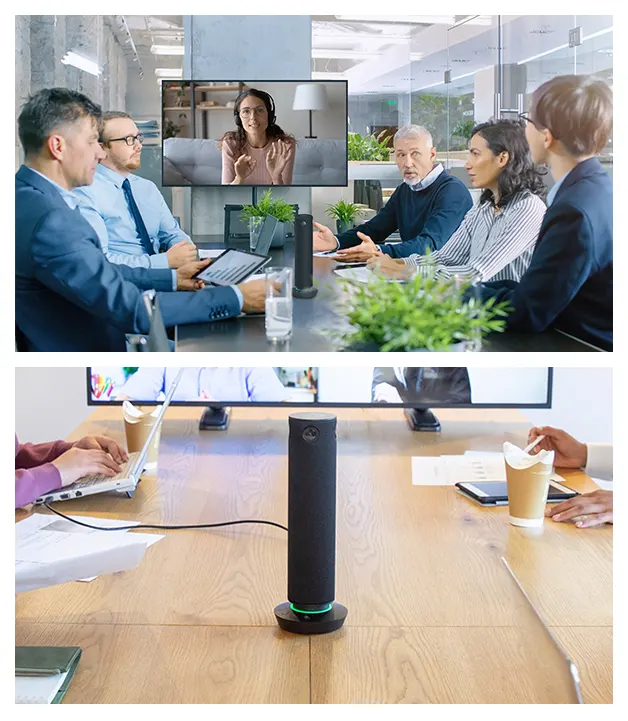
The slim shape and seamless fabric netting create a discreet appearance that is unobtrusive even when placed in the center of a conference table. The camera captures the participants' faces at an optimal angle of incidence without overlapping with the computer, so you can concentrate on the discussion without worrying about the equipment.
Laptop for business
- Windows: Lenovo (Thinkpad L15 15.6 inch), HP(250 G8 15.6 inch), Dell (Vostro 15.6 inch),
- Mac: MacBook Pro (max size 16 inch)

Equipped with a 1/4-inch tripod fixing screw hole
The bottom of the unit is equipped with a 1/4-inch screw hole, so it can be fixed to a tripod and permanently installed in a location other than on a desk. It is also equipped with a Noble Wedge lock security slot1, which can be connected to a security wire to protect valuable equipment from being stolen in case of theft.
1: Mounting surface Φ11 mm or less.

Fine settings can be made on the PC, including picture quality adjustment and setting changes.
The PressIT360 App built into the unit can be installed on a PC to perform detailed settings.
- Display of camera images
- Image quality adjustment
- Speaker operation test
- Firmware update and version confirmation
- Video control1 (zoom in/zoom out, tilt up/down, pan left/right) *May not work on some models.
1: Adjustment of the camera images and the zoom in and zoom out features work only on the camera image screen of this application.
Supporting operation systems for the PC app are Microsoft Windows (Windows 10/11), and macOS.
PressIT360 can be used with various web conferencing systems
It can be used with web conferencing systems such as Microsoft Teams, Zoom, Cisco Webex®, and Google Meet™.
* This does not guarantee operation on the web conferencing system.
* Microsoft and Microsoft Teams are trademarks or registered trademarks of Microsoft Corporation in the United States and/or other countries. ZOOM is a trademark of Zoom Video Communications, Inc. Cisco Webex is trademarks and/or registered trademarks of Cisco and/or its affiliates. Google Meet is trademark or registered trademark of Google LLC.

Certified for the web conferencing systems Microsoft Teams and Zoom
PressIT360 has obtained certification for Microsoft Teams, a collaboration platform provided by Microsoft Corporation, and Zoom, provided by Zoom Communications, Inc.
With image quality and sound quality optimized for each platform to naturally convey the atmosphere of the meeting room, it energizes communication in web conferences.
*The Surround View and Stable View are not recommended for use with Microsoft Teams Rooms.
*Microsoft and Microsoft Teams are registered trademarks or trademarks of Microsoft Corporation in the United States and other countries.
*Zoom and the Zoom logo are trademarks or registered trademarks of Zoom Video Communications, Inc.
*Support for the Zoom function requires:
Main unit software: 0.0.7904.92 or later
App (Windows): 1.4.2047.56 or later, (Mac): 1.4.2034.40 or later

Compatible with Crestron AirMedia® Wireless Conferencing
PressIT360 can be supported in Crestron AirMedia® Wireless Conferencing environments. Combining a 360-degree camera, microphone and speaker in a device, it supports hybrid collaboration experiences.
*Crestron, Crestron Connected® and Crestron AirMedia® logo are either trademarks or registered trademarks of Crestron Electronics, Inc. in the United States and/or other countries.
*Support for the AirMedia® requires: Main unit software: 0.0.7904.62 or later
Specifications of PressIT360 - 360 degree video conferencing
Specifications table
| CAMERA -> Camera sensor | 1/2.7" 5MP CMOS |
|---|---|
| CAMERA -> Shooting pixels | 2560 × 1440 ×4 |
| CAMERA -> Viewing angle | 360 (H) x 60 (V) |
| CAMERA -> Camera units | 4 |
| CAMERA -> Lens FOV (Field of view) | 140 (D) / 140 (H) / 103 (V) |
| CAMERA -> F number of the lens | 2.5 |
| CAMERA -> Lens TTL | 14.7 mm (0.58") |
| CAMERA -> Opt Distortion |
Related resources
Sorry there was an error...
The files you selected could not be downloaded as they do not exist.
You selected items.
Continue to select additional items or download selected items together as a zip file.
You selected 1 item.
Continue to select additional items or download the selected item directly.








Share page
Share this link via:
X
LinkedIn
Xing
Facebook
Or copy link: